
What Does a Copilot Studio Agent Really Cost? Credits, Baselines and Cost Levers

    Back to Blog
    Agentic AI

    What Does a Copilot Studio Agent Really Cost? Credits, Baselines and Cost Levers

    Copilot Credits, pay-as-you-go, capacity packs: what a Copilot Studio agent costs at 100, 500 and 1,000+ users — with verified 2026 prices and concrete savings levers.

    August 9, 202612 min read
    Marcel Haas

    Marcel Haas

    Solution Architect, CEO

    marcel.haas@cnext.ch
    20+ Jahreexperience·6×Microsoft Applied Skills·SharePoint & Microsoft Copilot
    6x Microsoft Applied Skills
    What does a Copilot Studio agent really cost – Copilot Credits and cost mechanics

    Quick Answer

    Copilot Credits, pay-as-you-go, capacity packs: what a Copilot Studio agent costs at 100, 500 and 1,000+ users — with verified 2026 prices and concrete savings levers.

    Part 1 of the series "What does an AI agent really cost?" — coming up: Microsoft 365 Copilot, Azure AI Foundry Agents and Replit Agents.

    For many Swiss companies, Copilot Studio is the fastest path to their own AI agent: connect SharePoint, define topics, publish. The platform hides the complexity of models, orchestration and grounding — but it also hides the cost mechanics. Billing happens neither in tokens nor in users, but in Copilot Credits. And how many credits a single answer consumes depends almost entirely on how the agent is built.

    This article works through the official Microsoft prices, verified in August 2026: what goes into a Copilot Studio agent, what it costs at 100, 500 and 1,000+ users — and which levers change the bill by a factor of 5–10.

    A note on freshness: all prices are US list prices from Microsoft's official pricing and licensing pages (as of August 2026). CHF amounts are rounded conversions (assumption: 1 USD ≈ 0.80 CHF); your contract's billing is authoritative.

    The components: what's inside a Copilot Studio agent

    A production Copilot Studio agent is more than the visible chat window:

    ComponentFunctionCost model
    Agent (topics, instructions)conversation logicCopilot Credits per interaction
    Knowledge sources (SharePoint, Dataverse, websites)grounding of answersincluded in generative answers
    Tenant graph grounding (semantic search over Microsoft Graph)better RAG over tenant contentseparate credit item, optional
    Actions & tools (connectors, agent flows, prompts)the agent does thingsseparate credit items
    Dataversestorage for conversations & tablescapacity included, expansion paid
    Channels (Teams, web, M365 Copilot)deliveryincluded
    Maker licensesbuilding & managing$0 (user license)

    The platform itself costs nothing — you pay exclusively for usage, measured in credits.

    The credit mechanics: an answer is not an answer

    Microsoft bills every agent capability at a fixed credit rate. The official rates (August 2026):

    Agent capabilityCreditsIn USD (PAYG at $0.01)
    Classic answer (predefined)1$0.01
    Generative answer (with knowledge sources)2$0.02
    Agent action (triggers, deep reasoning, tools)5$0.05
    Tenant graph grounding10$0.10
    Agent flow actions (per 100 actions)13$0.13
    AI tools basic / standard / premium (per 10 responses)1 / 15 / 100$0.01 / $0.15 / $1.00

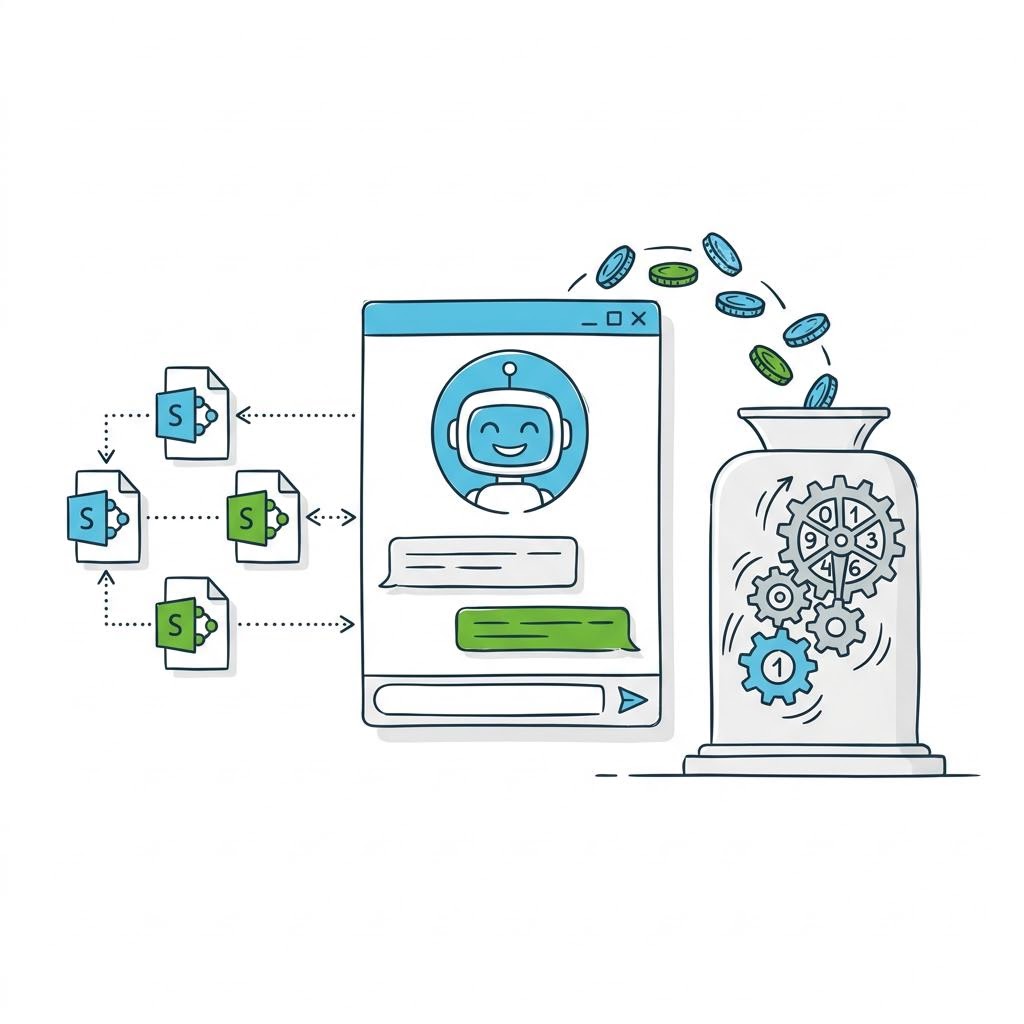
    The crucial property: credits stack per interaction. A single question to an agent with tenant graph grounding and a generative answer costs 10 + 2 = 12 credits — six times more than the same question to an agent that only uses its SharePoint knowledge source (2 credits). Add one action (say, creating a ticket) and you're at 17 credits.

    The animation shows how the credit meter fills depending on agent design:

    Three ways to pay

    1. 1Pay-as-you-go: $0.01 per credit via an Azure subscription. No fixed fee, no commitment — ideal for pilots and fluctuating load.
    2. 2Credit packs: $200 per month for 25,000 credits (annual commitment), pooled tenant-wide. Effectively ~20% cheaper than PAYG ($0.008/credit) — but unused credits expire monthly.
    3. 3Pre-purchase (CCCUs): prepaid commit units ($1 = 100 credits) with tiered discounts from 5% (from $3,000) to 20% (from $3M). Unused credits don't expire monthly, and PAYG kicks in automatically as overflow.

    And a fourth, often overlooked path: users with a Microsoft 365 Copilot license ($30/user/month) consume no credits at all for standard capabilities — their agent usage is included in the license. More on that below, because it is the biggest lever in the whole calculation.

    AIOnomics: why credits are just the packaging

    Throughout this series we use a simple mental model that applies to every agent platform — we call it AIOnomics. Every AI agent has three cost layers:

    1. 1Tokens — the raw material. Every word in and out of the language model costs fractions of a cent.
    2. 2Inference — the processing. Retrieval, ranking, reasoning: more context and more thinking steps mean more model work per answer.
    3. 3Harness — the rig around it. Orchestration, security, channels, governance, operations — what turns a model into a product.

    Copilot Studio sells all three layers in one unit: the credit. The base formula for any agent platform is:

    Monthly cost = users × queries per user × units per query × price per unit

    In Copilot Studio the "unit" is the credit, and the biggest multiplier is "units per query" — that is, agent design. Tokens and inference are flat-rated into the credit; you pay a premium for harness convenience, and in return model hosting, grounding infrastructure and operations disappear. Which is exactly why the comparison with self-built RAG stacks matters: there you pay tokens and infrastructure separately — more transparent, but with far more work on your side.

    Baseline 1: 100 users — the pilot

    Assumptions: internal knowledge agent, 10 queries per user per working day, 20 working days → 20,000 queries per month.

    Agent designCredits/queryCredits/monthPAYG cost≈ CHF
    Lean: generative answers on SharePoint sources240,000$400CHF 320
    With tenant graph grounding12240,000$2,400CHF 1,920
    Agentic: grounding + 1 action17340,000$3,400CHF 2,720

    Same user count, same query frequency — a factor of 8.5 between lean and agentic. The lean design fits in two credit packs ($400); the agentic design needs 14 packs, or better yet CCCUs at a discount.

    Baseline 2: 500 users — the rollout

    100,000 queries per month (same assumptions):

    Agent designCredits/monthPAYGPacks (at $200)≈ CHF (PAYG)
    Lean (2 credits)200,000$2,0008 packs = $1,600CHF 1,600
    Tenant graph (12 credits)1,200,000$12,00048 packs = $9,600CHF 9,600
    Agentic (17 credits)1,700,000$17,00068 packs = $13,600CHF 13,600

    At this size, comparing against the license world becomes mandatory: 500 Microsoft 365 Copilot licenses cost $15,000 per month — and make those users' standard agent usage credit-free. A heavily used, grounding-hungry agent can effectively finance the license, with Copilot in Word, Excel, Outlook and Teams thrown in on top.

    Baseline 3: 1,000+ users — enterprise scale

    200,000 queries per month and beyond:

    Agent designCredits/monthPAYGWith CCCU discount (~8–10%)≈ CHF
    Lean (2 credits)400,000$4,000~$3,650CHF 2,900
    Tenant graph (12 credits)2,400,000$24,000~$21,800CHF 17,400
    Agentic (17 credits)3,400,000$34,000~$30,900CHF 24,700

    For perspective: 1,000 M365 Copilot licenses = $30,000 per month. Which means concretely: a grounding-heavy Copilot Studio agent for 1,000 active users costs roughly as much as the full Copilot license for everyone — a license that additionally zeroes out the agent's credit bill. Beyond this threshold, pure pay-per-use is almost never the cheapest option anymore.

    Copilot Studio credit mechanics

    The hidden side costs

    • Dataverse capacity: conversation transcripts and agent tables live in Dataverse. Included capacity is limited; expansion starts at $40 per GB per month (database) or $2 per GB (files). For chatty, logging-heavy agents this is a real line item.
    • Agent flows with their own triggers: only flows using the "When an agent calls the flow" trigger are credit-free for M365 Copilot licensed users. Scheduled or event-based flows always pay.
    • Deep reasoning and premium AI tools: 100 credits per 10 responses — one premium prompt in the wrong place costs fifty times a generative answer.
    • Expiring packs: unused pack credits expire monthly. If your load is spiky, CCCUs or PAYG overflow serve you better.
    • Bring your own model: your own Azure Foundry models are billed separately — the credit rates only cover Microsoft's built-in models.

    The honest calculation: even low-code isn't built for free

    The credit bill is only the platform side. A production agent additionally needs build and upkeep effort — whether by internal makers or a partner:

    • Build: curating knowledge sources, topic architecture, grounding strategy, testing with real questions — realistically 3–10 person-days, i.e. CHF 4,000–12,000 one-off. Far below a full-stack project (cf. Part 3: 20–60 person-days), but not zero.
    • Upkeep: credit reviews, source hygiene, topic tuning and agent governance — around 0.5 person-days per month, i.e. CHF 600. For a pilot with CHF 320 of credit costs, that is the bigger item on the monthly bill.

    Six levers to cut the credit bill

    1. Only enable tenant graph grounding where it adds value. This item multiplies cost per answer five- to six-fold. For agents with well-defined SharePoint sources, generative answers (2 credits) are almost always enough.

    2. Model frequent questions as classic answers. Your top-20 FAQ as predefined topics cost 1 instead of 2–12 credits — and answer more consistently, too.

    3. Give heavy users M365 Copilot licenses. From roughly 250 grounded queries per month, the $30 license beats the same user's PAYG credits ($30 / $0.12 per grounded answer); with actions the break-even comes even earlier. The mixed calculation — licenses for heavy users, PAYG for the rest — almost always beats a one-size-fits-all approach.

    4. Start on PAYG, switch to CCCUs with volume. Measure first, commit second: the usage estimator plus two or three pilot months provide the data; from $3,000 of pre-purchase you get 5–20% discounts without monthly expiry.

    5. Bundle agent flows. 13 credits per 100 flow actions is cheap — but only with the agent trigger. Consolidate flows and trigger them correctly instead of firing per event.

    6. Review credit consumption per agent monthly. The admin center shows consumption per agent and capability. A design review after four weeks of real usage almost always finds a grounding or premium-tool item that can be replaced.

    Conclusion: the agent design is the price

    Copilot Studio has no fixed costs and no infrastructure of its own — in exchange, a consumption price that is controlled almost entirely by agent design, plus a modest but real build and upkeep effort. Between a lean and an agentic design lies a factor of 8–9 at identical usage. If you know the credit rates, you decide the bill while building — not while paying.

    In the next part of the series we work through the license side: what Microsoft 365 Copilot really costs — and when the $30 license beats credits.

    How CNEXT can help

    • Credit forecast before the project: we model your scenarios with the official estimator and realistic assumptions — you know the bill before the agent goes live.
    • Design review of existing agents: grounding strategy, topic architecture, flow triggers — typically 30–60% credit savings without quality loss.
    • License mix calculation: PAYG, packs, CCCUs or M365 Copilot licenses — we compute the cheapest combination for your user structure.

    Before the credit meter becomes a surprise: Get in touch →


    Sources (all retrieved August 2026): Microsoft Learn: Copilot Studio billing rates · Microsoft Copilot Studio Licensing Guide · Copilot Studio plans & pricing · Azure: Copilot Studio pay-as-you-go

    Further reading:

    Agentic AICopilot StudioMicrosoft 365Schweiz
    Teilen:

    This article was created with the support of AI and reviewed by our team. We use AI tools to produce high-quality content efficiently — the editorial responsibility always lies with our experts.

    Marcel Haas

    Marcel Haas

    Solution Architect, CEO

    6x Microsoft Applied Skills

    Have questions about this topic?

    Our experts are happy to advise you – free and without obligation.