Modern Workplace
Meeting AI in Teams: transcript in, decisions out.
With Meeting AI, Copilot summarises the Teams meeting, Facilitator captures the decisions and tasks go to Planner. Recording follows your policy.
For management teams, boards and project teams who hold many meetings in Teams and want decisions and tasks recorded reliably.
- Microsoft Teams
- Teams Premium
- Microsoft Copilot
- Facilitator
- Planner
- Microsoft Purview
When the meeting ends
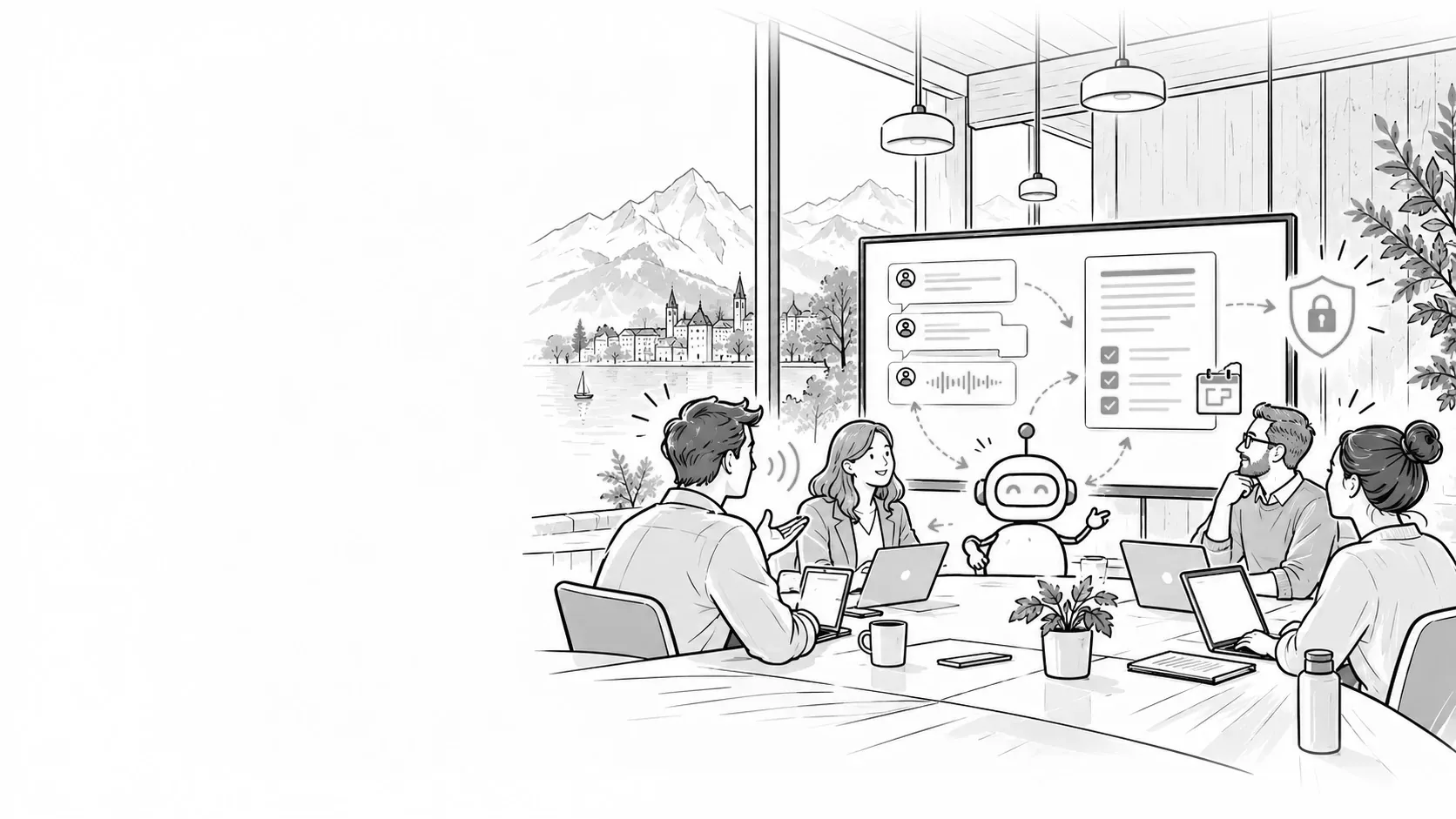
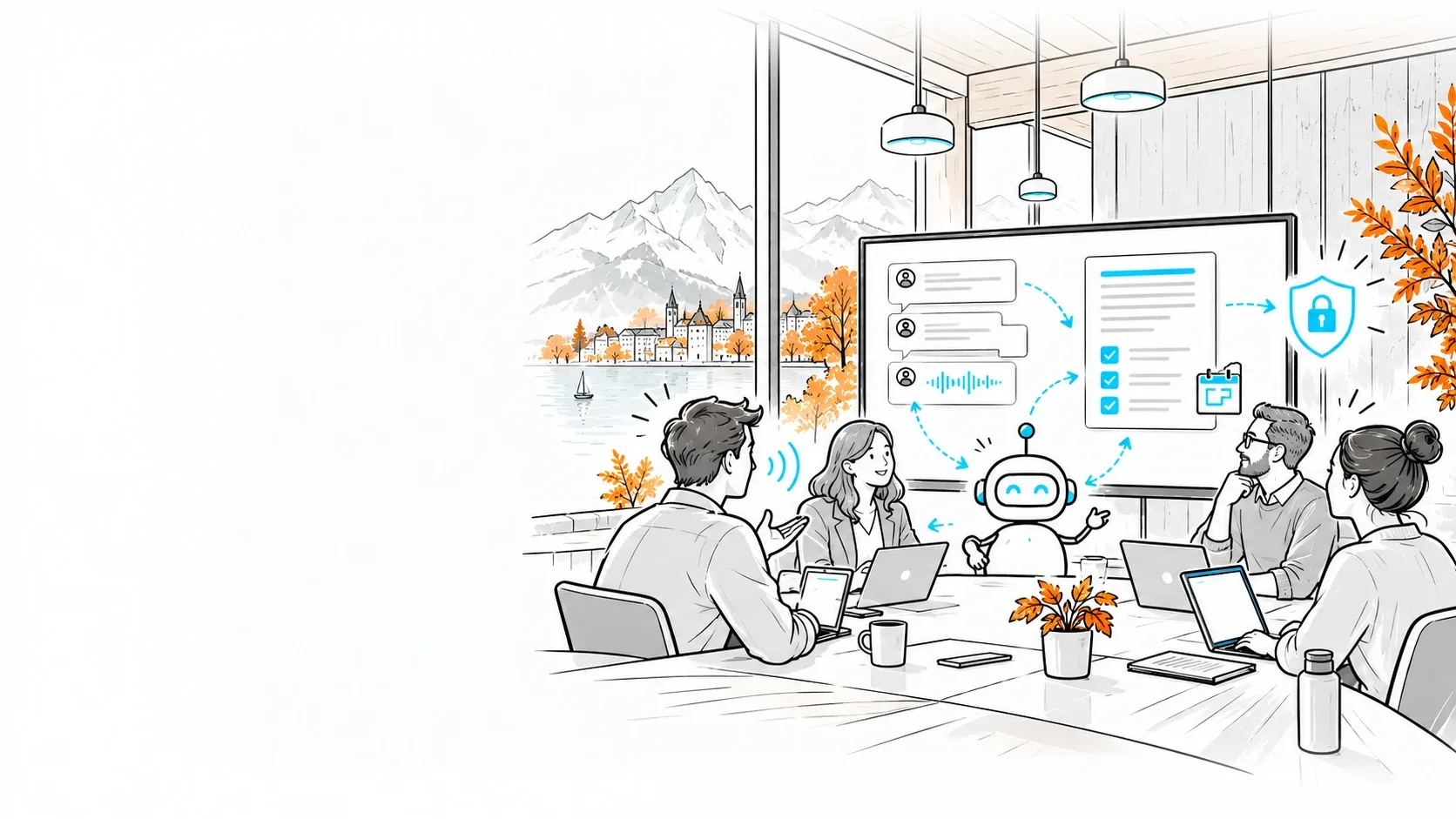
The meeting ends, and the minutes sit as a Word document in the channel: decisions, tasks with owners, agenda and time kept. Facilitator took shared notes and pushed the tasks to Planner. Whoever missed it asks Copilot in Teams what was said, or jumps to chapter and speaker in the recording. Whether a transcript is saved, how long it stays and who sees it, the policy per meeting type decides.
One rule per type of meeting
Each type of meeting needs a rule of its own. Each has a template for recording and retention and a person who confirms summary and tasks. We set the templates up with your real meetings, first for one meeting type and one team, test them with a pilot group and hand over so your IT maintains the policies on its own.
- Internal meetingsFacilitator takes notes, decisions and tasks go to Planner, the minutes sit as a Word document in the Teams channel.Result: everyone leaves the meeting with the same minutes.
- Confidential meetingsSensitivity label from Teams Premium, recording and forwarding blocked, Copilot only during the meeting.Result: management and HR use Copilot in the meeting, and afterwards no transcript is saved.
- Customer talks and interviewsA rule for when recording happens, a notice to participants, retention by your period, summary only for the team involved.Result: external participants know what happens, and your data protection rule applies here too.
- Town halls and trainingLarge events with Q&A, recording with chapters and a summary for everyone who was not there.Result: information reaches all employees, including those on shift.
What your data protection defines
Meeting types with their rules: your data protection officers define what may be recorded, how participants are informed and how long transcripts stay. Licences for the groups that use Copilot, Facilitator or Teams Premium. And a pilot group that tries the rules in real meetings before they apply to everyone.
What is active in your tenant
Meeting policies that are active in your tenant: transcript, recording, retention and Copilot per meeting type. A short guide for organisers on which template applies to which meeting. Facilitator and Copilot set up and tested with the pilot group. An evaluation of which meetings use summaries and tasks. When Microsoft changes the features, our support and operations team adjusts the policies.
Sound familiar? Tell us where you stand today.
ContactWhat's new.
As of: 30 September 2026
- Since 1 April 2026
Teams Enterprise includes features previously reserved for Teams Premium.
Since 1 April 2026 some features from Teams Premium are included in Teams Enterprise; organisers with Teams Enterprise can run events with up to 10,000 view-only attendees. Teams Premium keeps advanced meeting protection, the Queues app, branding and the intelligence features.
Source: Microsoft Learn: Plan for Teams events - As of 11 August 2026
Copilot in meetings: the default is a saved transcript.
The default setting for Copilot in Teams meetings is on with saved transcript required: Copilot is available during and after the meeting, and the transcript stays saved. Administrators can instead allow only during the meeting; speech is then processed temporarily and nothing is saved, though retention policies in Purview may still keep Copilot prompts and responses.
Source: Microsoft Learn: Copilot in Teams meetings and transcription - As of 13 August 2026
Facilitator: shared notes, Word documents and tasks to Planner.
Facilitator is included with the Microsoft Copilot licence and takes real-time notes that all participants see, tracks agenda and time, creates Word documents from the meeting and pushes tasks to Planner, the latter in preview. The notes are stored as a Loop file in the OneDrive of the person who started the meeting and are not yet collected by Purview eDiscovery as attachments.
Source: Microsoft Learn: Facilitator in Teams
More on Copilot and Teams.
Licences, Teams structure and data protection rules that the meeting rules build on.
Use Microsoft Copilot where it carries weight in daily work.
Microsoft TeamsTeams, channels and meetings as the workplace.
Copilot ROI calculatorCheck with your own assumptions where Copilot saves time.
Compliance & Data ProtectionRetention and confidentiality with Purview.
Collaboration in TeamsTeams, channels and SharePoint sites that fit together.
Copilot Studio agentsAgents that answer questions and get tasks done in Teams.
Zero Trust & Identity SecurityGuests, devices and conditions for access to meetings.
WorkshopsDefine meeting types and rules in a workshop.
Meetings with rules, in use.
Decisions and meeting tasks at Inselspital, clear ownership for project teams at Sieber Partners, shared workspaces for BMC and Microsoft 365 in daily work at WGB.

Inselspital, Universitätsspital Bern
Inselspital: Keeping meeting decisions and actions traceable
View project
Dr. Pascal Sieber & Partners AG
Clear ownership for project Teams at Sieber Partners
View project
BMC Switzerland AG
Shared workspaces for BMC and its partners
View project
WGB Wärme Genossenschaft Bern
Bringing Microsoft 365 into everyday work at WGB
View projectRelated to your task
Before the first meeting is recorded.
Do we need Teams Premium or Copilot?
For summaries, questions to the meeting and Facilitator, the Microsoft Copilot licence. For sensitivity labels, protection against forwarding, branding and queues, Teams Premium; intelligent recap comes with either. Since April 2026 Teams Enterprise includes some former Premium features. Which licence which group needs, we read off from the pilot group.
May we record and transcribe meetings?
If participants know and your data protection rule allows it. Teams shows recording and transcription, and we set per meeting type whether they are allowed, required or blocked. For conversations with external participants your data protection officers define the notice and consent; we implement the setting.
Where are transcripts and recordings stored, and for how long?
Recordings in the organisation's OneDrive or SharePoint, transcripts with the meeting, Facilitator notes as a Loop file in the OneDrive of the person who started the meeting. How long they stay is set by a retention policy in Purview, by your period. We set up the policies and show who can see what.
Can Copilot work without a transcript being saved?
Yes. Besides the default setting with a saved transcript there is the setting only during the meeting: Copilot processes speech temporarily and saves nothing, and after the meeting no summary can be retrieved. That is the setting for management, HR and confidential conversations.
When do we use Facilitator?
In meetings that require minutes. Facilitator keeps notes everyone sees and adds to, tracks agenda and time, creates a Word document at the end and pushes tasks to Planner. Anyone who wants to know something about the meeting for themselves afterwards asks Copilot.
Can external participants see the summary?
Only if you allow it. Summary and transcript belong to the organisation that organises the meeting; guests see them only if the policy permits. For customer conversations we set it up so that your team receives the summary and decides what to pass on.
Agree on a useful next step
Tell us about your current workflow, the systems involved and the result you need. In our first conversation, we identify what else we need to know to plan a useful next step.