How we work
Microsoft 365 assessment: know where your tenant stands.
We take stock of your Microsoft 365 together with you, from sharing settings to licences. Every finding gets a priority before you invest any further.
For management and IT whose Microsoft 365 has grown over the years and who want to know where it stands before Copilot or a migration.
- SharePoint Advanced Management
- Microsoft Secure Score
- Microsoft Purview
- Entra ID
- Microsoft Intune
- Power Platform
- Microsoft Copilot

The findings on the table
Thursday morning, the head of IT and the managing director go through the findings. At the top are two project libraries open to all staff through a link, next to them licences nobody has signed in with since spring, and three flows whose creator has since moved on. They decide: sort out sharing first, then the Copilot pilot.
From sharing links to agents
We work with read access in your tenant and with the reports Microsoft itself provides, complemented by conversations with the people who know your environment. Much of it has grown with your work and runs well; we record that and build on it. Where something can be improved, the finding gets a priority and a next step. Our two free self-checks are a good start before the first conversation.
- Sites and teamsStructure, owners, permissions and sharing links. The Content Management Assessment and the data access governance reports in SharePoint Advanced Management show which sites are open to all staff, where permissions differ from the site and which sites have no owner or have long been unused.Result: a list of the sites to review first, with the people who decide on them.
- Identities and devicesSign-in, conditional access, MFA and admin roles in Entra ID, plus the open recommendations in Secure Score and a first Maester run against your Zero Trust rules. In Intune we see which devices are managed, which settings deviate and which devices have no compliance policy yet.Result: a dated security baseline against which every later run can be measured.
- Labels and retentionWhich sensitivity and retention labels are published in Purview, on which content they actually appear in content explorer and which retention policies cover mail, Teams and libraries.Result: you see which rules apply today and which areas still need a label.
- LicencesAssigned and available licences from the Microsoft 365 admin center, read alongside the usage reports for mail, Teams, OneDrive and the Microsoft 365 Apps. This shows which plans are in use, which features you already own and where accounts have shown no activity for some time. Before you buy more storage, a Storage Monster scan shows which stale files, versions and possible duplicates take it up today.Result: a licence overview your purchasing takes into the next renewal.
- Power PlatformThe inventory in the Power Platform admin center with apps, flows and agents, their owners, environments and connectors. With your business teams we mark what is business-critical, what belongs to people who have left and what sits in the default environment.Result: a list of your applications with ownership and importance, on which governance and operations build.
- Ready for Copilot and agentsWhich content an agent may read, which sites stay excluded from Copilot and organisation-wide search until their owners have reviewed them, and who, according to the readiness report in the admin center, uses the apps where Copilot helps most.Result: approved sources for Copilot and agents and a proposal for the pilot group.
What we need from you
Read roles for our team, granted for a limited time and approved by your IT, such as Global Reader and Security Reader; a few reports need an admin role that your IT uses together with us. One contact per area who knows how your environment came about. The projects you are planning, such as Copilot, a migration or a new site, so that the roadmap includes them.
What you hold afterwards
A findings report that describes each topic with its current state, where it was found and a priority. A list of quick wins with owners that your IT can carry out itself. A roadmap that orders the next projects, from governance and security through migration to agents and rollout. A meeting with management and IT in which we go through the results together. If you want ongoing support with the implementation, Support & Operations covers it.
Sound familiar? Tell us where you stand today.
ContactWhat's new.
As of: 10 October 2026
- As of 5 May 2026
The Content Management Assessment bundles the site reports.
In the SharePoint admin center, the Content Management Assessment runs several reports from SharePoint Advanced Management: inactive sites, sites with no owner or only one, broken permission inheritance, sharing with all internal users and overly permissive sharing links. The results list the affected sites with recommended steps; the assessment can be rerun every 30 days to track progress.
Source: Microsoft Learn: Assess your organization's content management status - As of 28 September 2026
One inventory for apps, flows and agents.
The inventory in the Power Platform admin center shows agents from Copilot Studio and from the Microsoft Copilot Agent Builder, apps and flows in one view, filterable by owner, environment or creation date and exportable as CSV. Microsoft names finding resources owned by departing users as a use case; in preview, the inventory also shows which connectors an app, flow or agent uses.
Source: Microsoft Learn: Power Platform inventory - As of 3 April 2026
The readiness report shows who is ready for Copilot.
In the Microsoft 365 admin center, the Readiness tab of the Copilot report shows how many people have a suitable base licence, whether their Microsoft 365 Apps are on an eligible update channel and who already has a Copilot licence. Organisations with Copilot licences also see, every week, the quarter of unlicensed people who use Teams, Outlook and Office documents most as suggested candidates.
Source: Microsoft Learn: Microsoft Copilot readiness report
Templates for your assessment.
Use these templates to prepare the stocktake of your tenant, record findings and order the next projects. They are free and work with your own IT as well as with a partner.
- WordPreparation checklistWhich read roles are granted by whom and for how long, which reports you export in advance and which documents complete the picture.Download
- WordFindings reportStatus, where it was found and priority per topic, from sharing to readiness for Copilot and agents.Download
- ExcelMeasures registerRate impact and effort; the sheet calculates the priority and shows what can be done now and what belongs in the roadmap.Download
- WordRoadmap by quarterThe next projects by quarter, each with one owner.Download
You may use, adapt and share these templates freely.
Check for yourself, then go deeper.
Two free self-checks to get started and the pages that take individual findings further.
Answer questions on structure, permissions and operations and get a first assessment.
Agentic AI Readiness CheckCheck how clearly task, data access and responsibilities are defined for your first agent.
Security OperationsMaester tests that repeat the security baseline from the assessment at regular intervals.
Compliance & Data ProtectionLabels, retention and evidence under the Swiss data protection act.
Power Platform governanceEnvironments, data policies and ownership for apps, flows and agents.
Devices & cloud infrastructureSet up Intune and Azure and manage them on an ongoing basis.
Agentic AIWhich tasks agents take on and which platform they run on.
Business or EnterpriseWhich Microsoft 365 plans include which features.
A checklist for agentsInventory, identity, logging and emergency stop: where your agents stand today.
Recorded first, then implemented.
A tenant inventory with a target architecture at Nexxiot, an overview of storage and usage as the basis for the clean-up at Sieber Partners, an inventory of devices and applications before Windows 11 at Maurus Schifferli, and shared rules for permissions that had grown over time at SAGW.
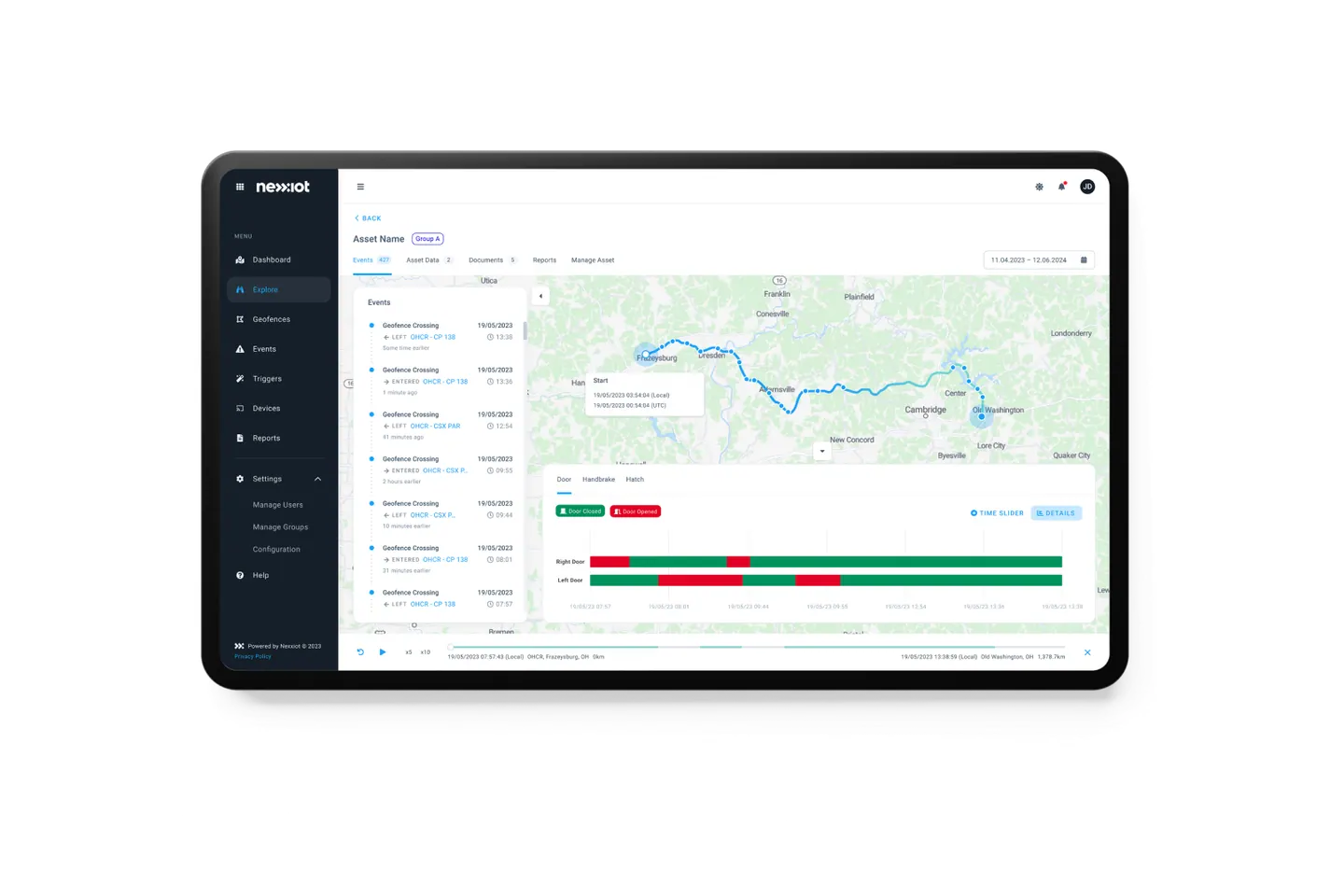
Nexxiot AG
Nexxiot: Bringing storage growth and SharePoint structures under control
View project
Dr. Pascal Sieber & Partners AG
Organising SharePoint repositories at Sieber Partners
View project
Maurus Schifferli Landschaftsarchitekt BSLA
Windows 11 for everyday design work at Maurus Schifferli
View project
Schweizerische Akademie der Geistes- und Sozialwissenschaften (SAGW)
SAGW: Applying consistent access and protection rules
View projectStorage in the same findings.
A read-only scan shows which stale files, versions and possible duplicates fill SharePoint and OneDrive storage.
Related to your task
Set ownership, lifecycle and sharing where the findings show open sites.
Zero Trust & Identity SecurityTighten conditional access, MFA and admin rights where the security baseline calls for it.
Data migrationMove libraries and mailboxes, with the inventory as the basis.
Rollout & AdoptionTraining and champions for the pilot group the assessment proposes.
Support & OperationsCarry out the roadmap step by step and have the environment looked after.
Before we look at your tenant.
Which rights do you need in our tenant?
For most reports, read roles such as Global Reader or Security Reader are enough, granted by your IT for a limited time, through granular delegated admin privileges for Microsoft partners or through Privileged Identity Management. A few reports on sites and sharing need an admin role; we run those together with your IT. We change no settings during the assessment; every measure is listed in the findings and decided with you.
How does the assessment differ from your self-checks?
The SharePoint Checker and the Agentic AI Readiness Check evaluate your answers and connect to no system. They help you sort your own questions before the first conversation. In the assessment we read the actual settings, permissions and reports from your tenant and compare them with what your owners know about the environment.
Do the reports work without a Copilot licence?
Largely, yes. Usage reports, Secure Score, Intune reports and the Power Platform inventory come with the services you have licensed. The SharePoint Advanced Management reports require a plan such as Microsoft 365 E3 or E5, plus a Copilot licence for at least one person or the SharePoint Advanced Management Plan 1 add-on. Where these are missing, we read permissions and sharing with PowerShell and Microsoft Graph.
Is Azure included?
If you want it to be, yes. Microsoft 365 and Azure share the identities in Entra ID anyway; subscriptions, servers, backup and running costs in Azure we record as a separate part, servers with Azure Migrate. What follows from that is taken further on the Devices & cloud infrastructure page.
What do you see of our data?
Settings, permissions, metadata such as site names and owners, and usage figures. We open documents only if you explicitly ask for a sample. The usage reports in the admin center conceal names by default; whether we evaluate them with names is for you to decide with your data protection officer. We store exports in a library in your tenant.
Do we have to implement with CNEXT?
No. The report belongs to you and is written so that your IT or another partner can work from it: every finding with where it was found, a priority and a next step. Your IT carries out many quick wins itself; for larger projects such as governance, migration or an agent pilot we are glad to continue with you.
Agree on a useful next step
Tell us about your current workflow, the systems involved and the result you need. In our first conversation, we identify what else we need to know to plan a useful next step.